We keep your server's PHP on a secure, well-supported version, but you can control the version per website.
In cPanel, open MultiPHP Manager, tick your domain, choose a version, and apply. The change is instant and reversible: if your site misbehaves on a newer version, switch back the same way.
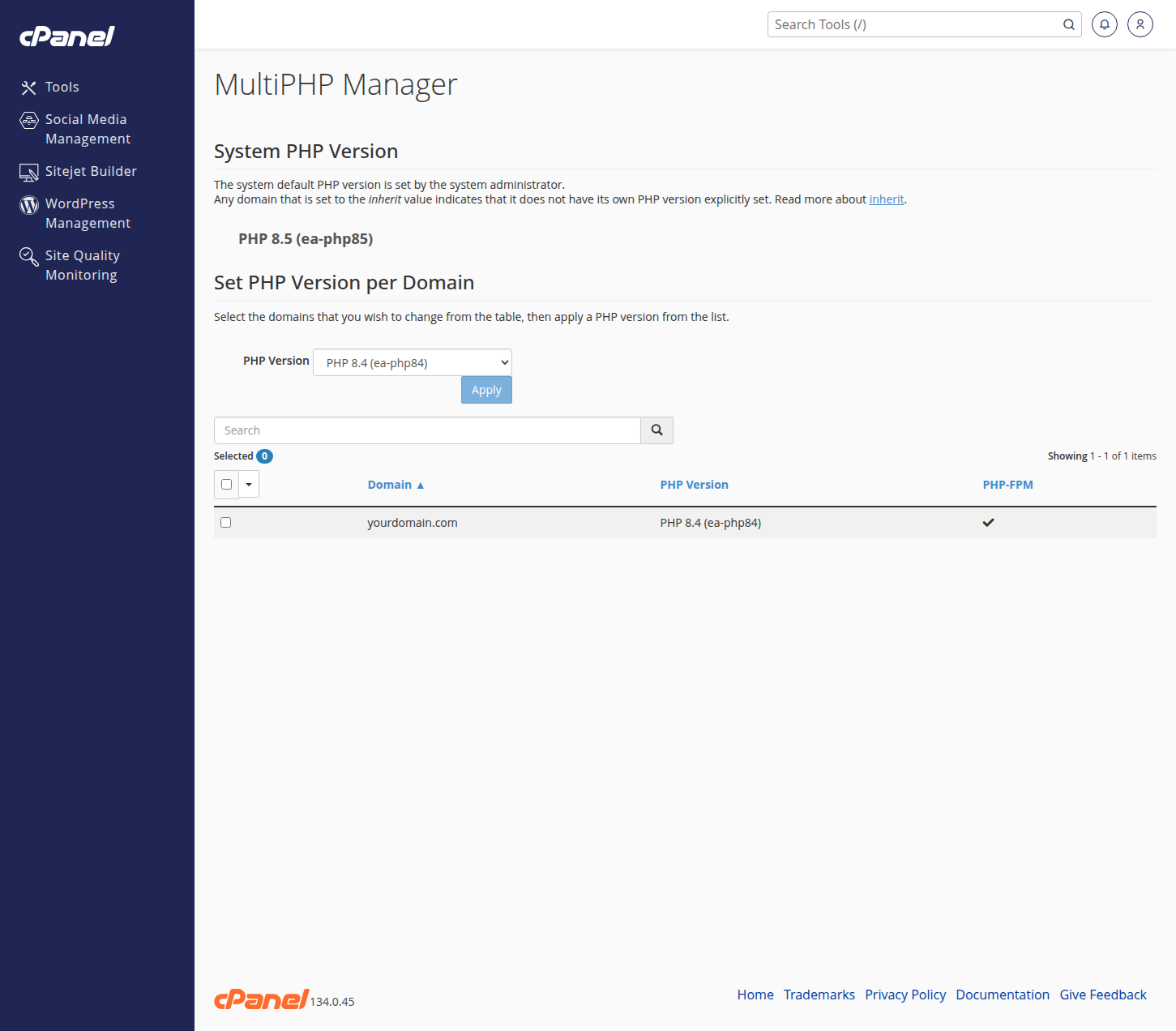
Common limits like upload size and memory can be adjusted in MultiPHP INI Editor.
Planning a major jump (for example, onto a brand-new PHP release)? Mention it in a ticket first. We will check your site's compatibility and can make the switch for you at a quiet hour, which is included in your plan like everything else.