
Tickets are the fastest way to reach the StackLinux team — they go straight to the engineers who manage your server, and we typically respond within an hour.
Opening a ticket
- Log in to the client portal.
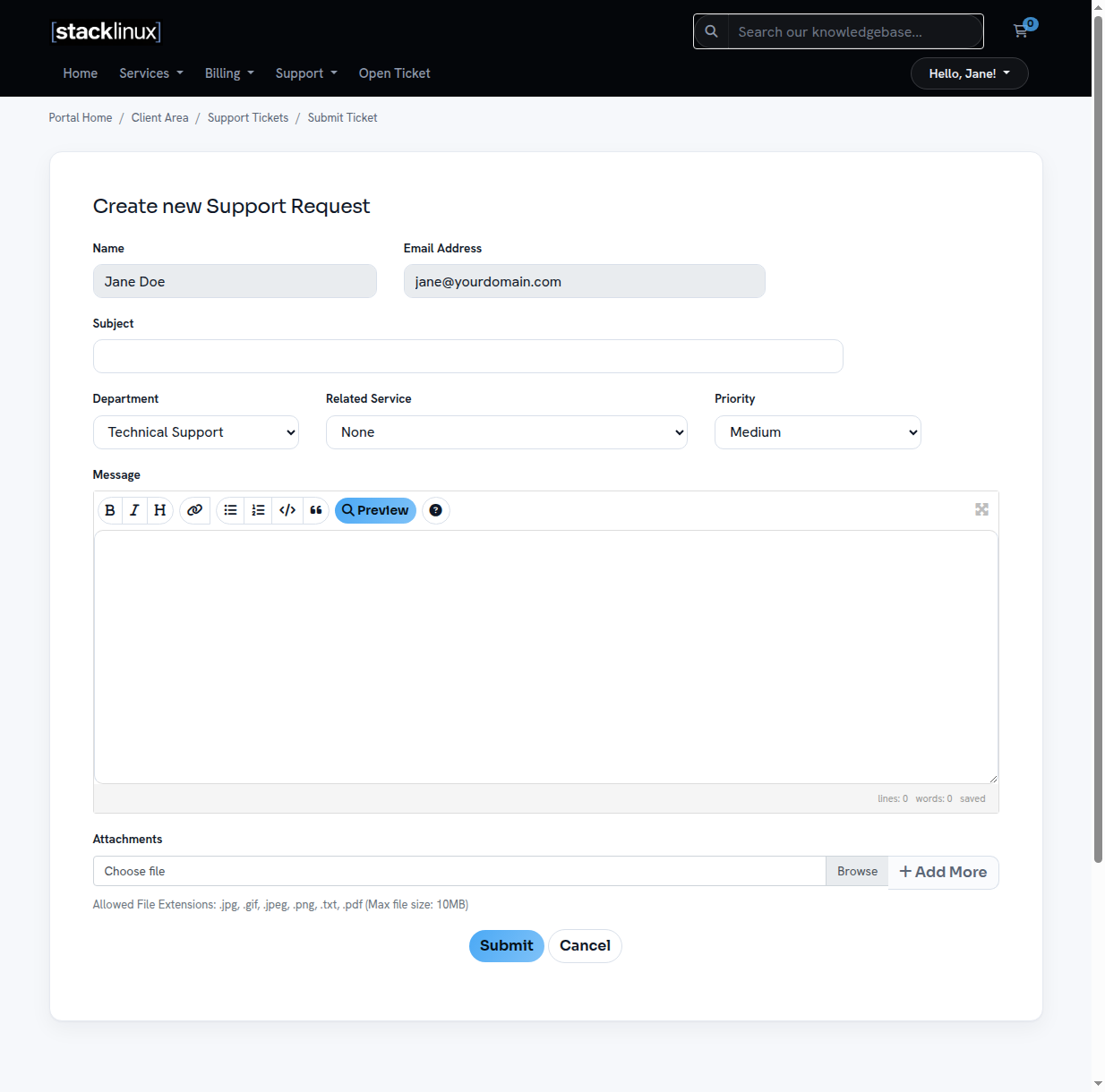
- Click Open Ticket in the top navigation (or Support → Tickets).
- Your name and email are pre-filled. Add a clear subject and describe the issue.
- Attach screenshots if they help show the problem.
- Click Submit. You will get email updates as we reply, and the full conversation stays in your portal.
What to include for the fastest fix
- The domain or site affected — especially if you host more than one.
- What you expected vs. what happened — "the checkout page shows error 500 since about 2pm" beats "site broken."
- Any recent changes — plugin updates, new code, DNS edits.
- Exact error messages — copy/paste or screenshot them.
Never put passwords in a ticket unless we specifically ask — and if we do, we will tell you the secure way to share them.
While you wait
Your server is monitored around the clock — if something server-side breaks, we are usually alerted before you notice. You can check live infrastructure status anytime at status.stacklinux.com.
Emergencies
If your site is completely down, open a ticket with "DOWN" in the subject line — these are seen immediately.