
Your client portal at my.stacklinux.com is the central hub for everything related to your hosting with StackLinux: your services, backups, invoices, and support, all in one place.
Logging in
- Go to my.stacklinux.com.
- Enter the email address you use with StackLinux and your portal password.
- Forgot your password? Click Forgot Password? on the login page and we will email you a reset link.
Your dashboard at a glance
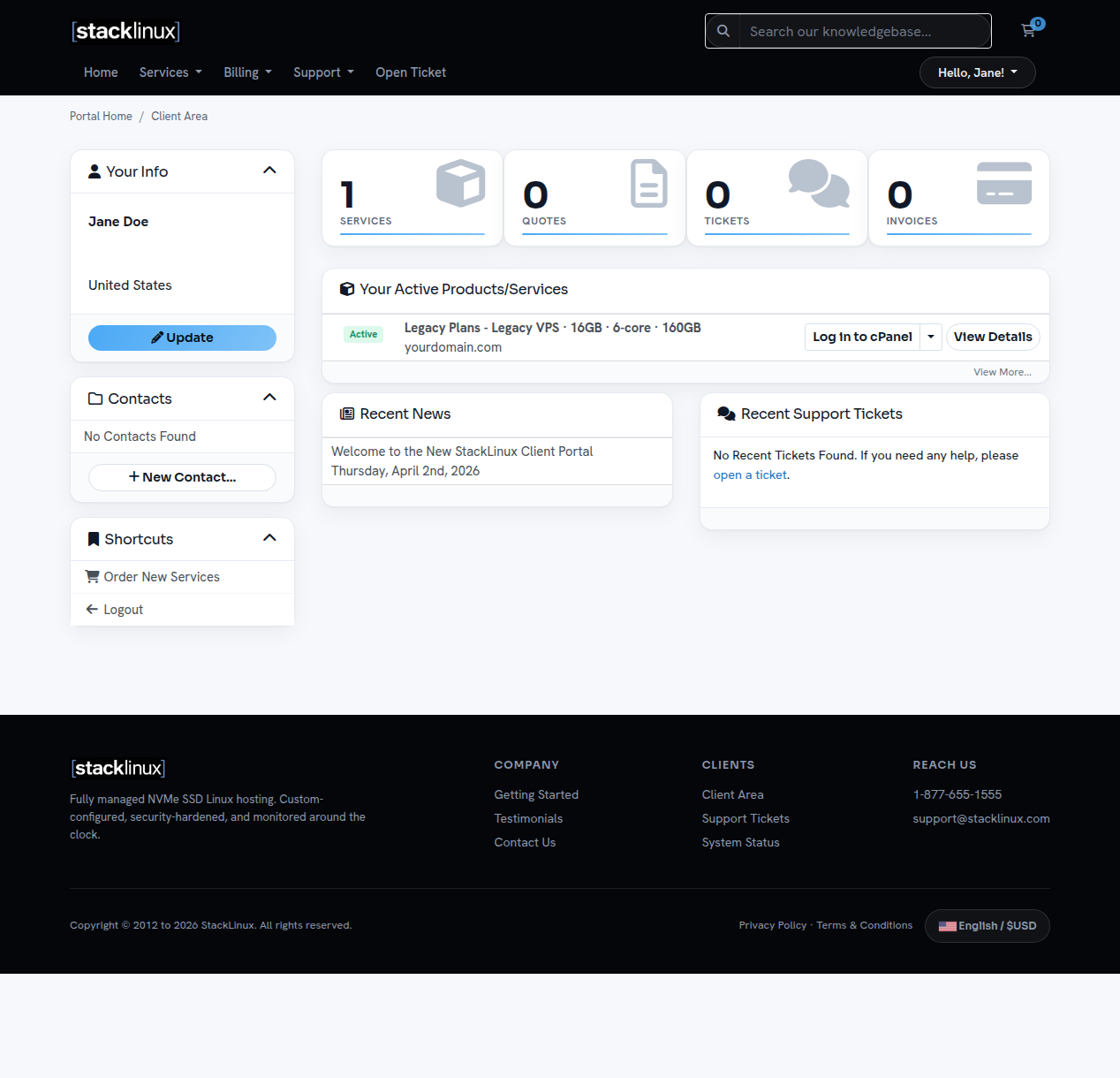
After logging in you will see:
- Services / Quotes / Tickets / Invoices: quick counters at the top. Click any of them to jump straight to that section.
- Your Active Products/Services: your server(s), each with a status badge and a Log in to cPanel button.
- Recent Support Tickets: your open and recent conversations with us.
The one button to remember
The Log in to cPanel button next to your service opens your server's control panel instantly. No separate username or password needed. From there you can manage files, email accounts, DNS, databases, and backups.
Updating your details
Click your name (top right) → Account Details to update your email address, password, or contact information. Keeping your email current ensures invoices and important notices reach you.
Can't find something? Open a ticket. We typically respond within an hour.